
AI Image Prompt Guide: Tips, Examples & Structure
Most AI image prompts fail before the generation even starts because the description is too vague or under-specified, leaving too many decisions to the model.
An AI image prompt is the text instruction used to generate an image in an AI image generator, describing what the output should look like. When key details like lighting, mood, or composition are missing, the model has to fill in the gaps, which often leads to generic or inconsistent results.
This guide shows you how AI image prompts work and how to write them step by step, with real examples and prompt structures you can adapt for your own images.
This prompt leaves every decision to the AI tool: breed, setting, time of day, style, and mood. You might get a cartoon or a photo, daytime or night. With so little direction, the result is bound to be generic.
Prompting gets easier the more you practice. Quillbot’s AI Image Generator is a good place to start.
Key takeaways
- An AI image prompt is a text instruction used to generate an image in an AI image generator, describing the desired visual output.
- AI image prompts work best when they are clear and structured, not vague or conversational.
- Include key elements like subject, style, lighting, and composition for more accurate and consistent results.
- Use negative prompts and iteration to reduce unwanted artifacts and progressively improve results.


What is AI image prompting?
AI image prompting is the process of turning an idea into a visual by describing it in words for an AI image generator. The results usually depend on how clear you are.
Imagine, for example, you hired a designer to remodel your living room while you were away. If you tell them “Make it look nice,” you might return to a bright pink room that you hate.
But if you say “I want a modern style with a navy blue velvet couch, a glass coffee table, lots of green houseplants, and warm, soft lighting,” chances are you’ll get what you want.
Prompting works the same way: you give the AI tool just the right amount of detail so it doesn’t have to guess.
How to write AI image prompts
Writing a great AI image prompt is mostly about structure. The more intentional you are with your words, the more predictable and usable your results will be.
A great way to write a prompt is to layer your details. You start with a simple core idea and then add specific details, like style, lighting, and mood, until you have a complete, descriptive prompt.
Here’s what you need to include in your prompt structure:
- Subject: What the image shows (the main focus).
- Setting: Where the scene takes place.
- Style: The visual direction (like cinematic, illustration, or 35mm photography).
- Lighting: How the scene is lit (like dramatic chiaroscuro, golden hour, or soft studio light).
- Mood: The overall feeling or atmosphere (like eerie, nostalgic, or energetic).
- Composition: The framing and perspective (like a close-up, wide shot, or bird’s-eye view).
To keep things simple, you can arrange your layers into a single prompt like this:
[Subject] + [Setting] + [Style] + [Lighting] + [Mood] + [Composition]
Think of this as a flexible framework rather than a strict formula. For example, combining those elements together into a single prompt looks like this:
This version works because it gives the model enough information about what the output should look like.
Advanced prompting techniques
Once you understand the basics of prompt structure, the following methods will help you move beyond standard results.
- Blend contrasting styles. Instead of just asking for a style like “cyberpunk,” mix two styles or eras that don’t normally belong together. This often leads to images that are more likely to stand out and work well for editorial visuals and concept art.
“A modern smartphone commercial filmed in 1920s German Expressionism silent-film style.”
- Use negative prompts to remove unwanted elements. Negative prompts help you define what should not appear in the image. This is useful for resolving common issues or avoiding visual clutter.
For clean branding & products: “No text, labels, logos, clutter, props, messy shadows.”
For 2D art and illustrations: “No 3D render, realistic textures, photographic elements, gradients.”
- Reference real visual formats. Instead of describing style in abstract terms, you can anchor your prompt in familiar visual formats. This helps the model produce more structured and consistent results.
“architectural digest interior shoot”
“museum exhibition poster”
“vintage film still”
- Use prompt weighting (when supported). Some advanced image generation models allow you to control the importance of different words in a prompt using weights. You instruct the tool exactly how important a specific word is by using double colons (::), followed by a number. You can even use negative weights to ban certain items.
portrait of a woman smiling::2 sadness::-1 → This reduces the melancholic tone and shifts the mood lighter.
5 tips for better AI image generation
Here are five tips to help you improve your image generation results:
- Use mood words
- Add textures and imperfections
- Limit elements for cleaner compositions
- Add camera directions
- Work iteratively
1. Use mood words
Mood words heavily influence an image’s color grading, contrast, and emotional weight without overloading the prompt with technical jargon. Pushing a scene through an emotional lens forces the AI to be more creative.
- Keywords to use: Dreamlike, melancholic, tense, nostalgic, serene, cyberpunk, brutalist.
2. Add textures and imperfections
To break the smooth, plastic look common in artificial images, explicitly name physical textures. Mentioning specific paper stocks, film grain, or weathered materials helps create more believable visuals.
- Keywords to use: Weathered wood, film grain, wrinkled fabric, scratched metal, rough concrete.
3. Limit elements for cleaner compositions
More detail is not always better. By intentionally limiting elements, you force the AI to focus on a clean, impactful composition.
- Keywords to use: Minimal color palette, single subject, symmetrical composition, negative space, empty background.
4. Add camera directions
Treat yourself like a film director. Instead of just describing what is in the image, explain how it is being captured by dictating lens types and camera behavior.
- Keywords to use: Shallow depth of field, macro lens, wide-angle shot, motion blur, bird’s-eye view.
5. Work iteratively
AI image generation improves through small, controlled adjustments rather than full rewrites. Instead of changing everything at once, adjust one element at a time—such as lighting, subject detail, or style—so you can clearly see what affects the output.
AI image prompt examples
Here are AI image prompt examples across common use cases—each with a sample prompt, a note on why it works, and a few reusable ideas you can adapt.
Realistic images and portraits
Prompt: A cheerful street musician playing a violin in a busy European cobblestone square during summer. Realistic street photography style with crisp, detailed clothing textures. Warm, natural golden hour daylight creates an uplifting mood. Captured in a tight medium shot with a shallow depth of field and soft background blur to isolate the musician. No cluttered background, deformed hands.

Why it works: Photographic cues like “shallow depth of field,” “golden hour,” and specific texture callouts pull the image away from the generic, plastic look that AI models default to when generating humans.
| Idea | Prompt |
|---|---|
| A rainy night street scene with a taxi | A classic yellow taxi driving down a slick New York street. Gritty, realistic street photography style under neon signs reflecting off wet pavement. Moody, cinematic urban atmosphere shot from a low-angle perspective with a shallow depth of field. |
| A close-up of a chef preparing food | Close-up on a chef’s hands carefully placing a microgreen garnish onto a dish in a bustling, high-end restaurant kitchen. Macro photography style showing crisp food textures and rising steam. Warm overhead kitchen spotlights create a focused, intense mood. Macro close-up shot. No messy counters. |
| A business executive in an urban setting | A business executive in a tailored charcoal suit walking through a modern financial district with glass skyscrapers. Professional editorial portrait style. Bright, overcast daylight creating soft, even shadows. Driven and ambitious mood. Wide-angle street portrait showing the subject from the waist up. |
Illustration and art
Prompt: A bustling medieval marketplace filled with merchants and stalls. Hand-drawn ink illustration using dense crosshatching lines and sketchbook textures. High-contrast, dramatic shadows creating a lively, historic mood. Wide-angle, flat 2D composition showing the scale of the market. No colors, gradients, digital painting.
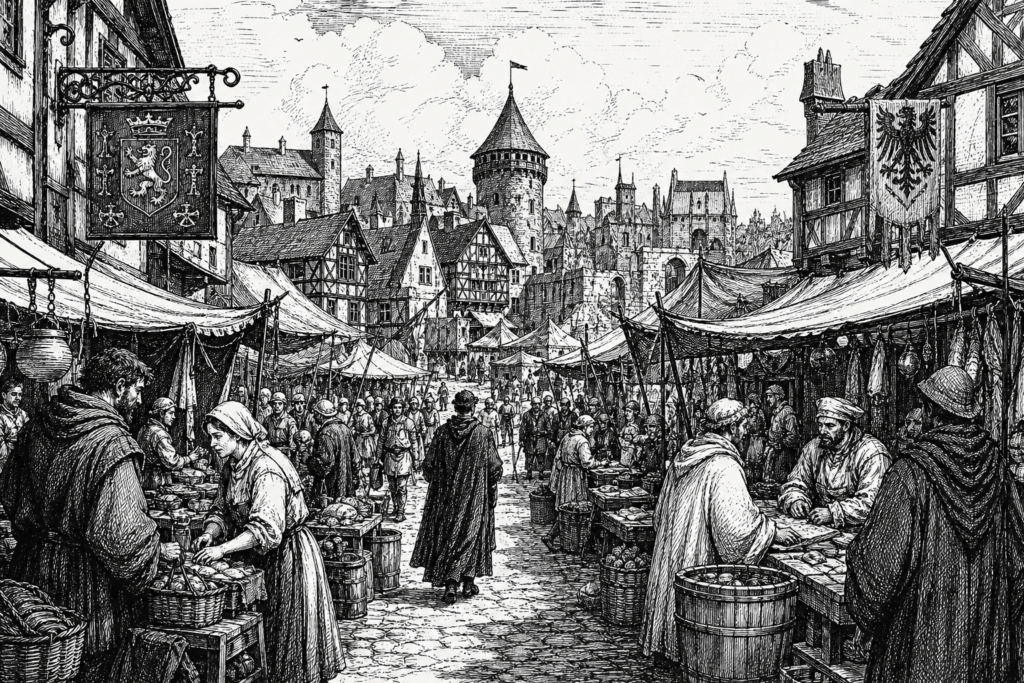
Why it works: Naming a very specific, traditional drawing technique (“crosshatching lines”) gives the model a concrete physical instruction to replicate, preventing it from mixing in unwanted digital gradients or vector styles.
| Idea | Prompt |
|---|---|
| A whimsical forest scene | Playful woodland creatures gathering around a giant mushroom inside a hidden forest grove. Whimsical watercolor and ink illustration style with soft brush textures. Dappled, soft sunbeams filtering through the tree canopy. Magical and cozy mood. Centered, storybook-style composition. |
| A children’s book scene | A family of fluffy rabbits playing in a sunny, rolling green meadow filled with wildflowers. Vibrant, flat-color children’s book illustration style with clean outlines. Bright, cheerful morning sunshine. Joyful and peaceful mood. Eye-level, uncluttered wide shot. |
| A detailed urban sketch | Pedestrians walking past historic brownstone buildings. Urban architecture sketch style featuring expressive black ink lines and light watercolor washes. High-contrast afternoon sun casting long shadows. Bustling city mood. Three-quarter perspective view looking down the sidewalk. |
Branding and design
Prompt: A minimalist geometric glass perfume bottle resting on a sleek, dark, reflective glass surface. High-end commercial product photography style. Controlled studio lighting with sharp rim lights highlighting the bottle’s edges. Luxurious, sophisticated mood. Symmetrical, centered close-up shot with a completely solid, plain background. No props, clutter, labels, text.
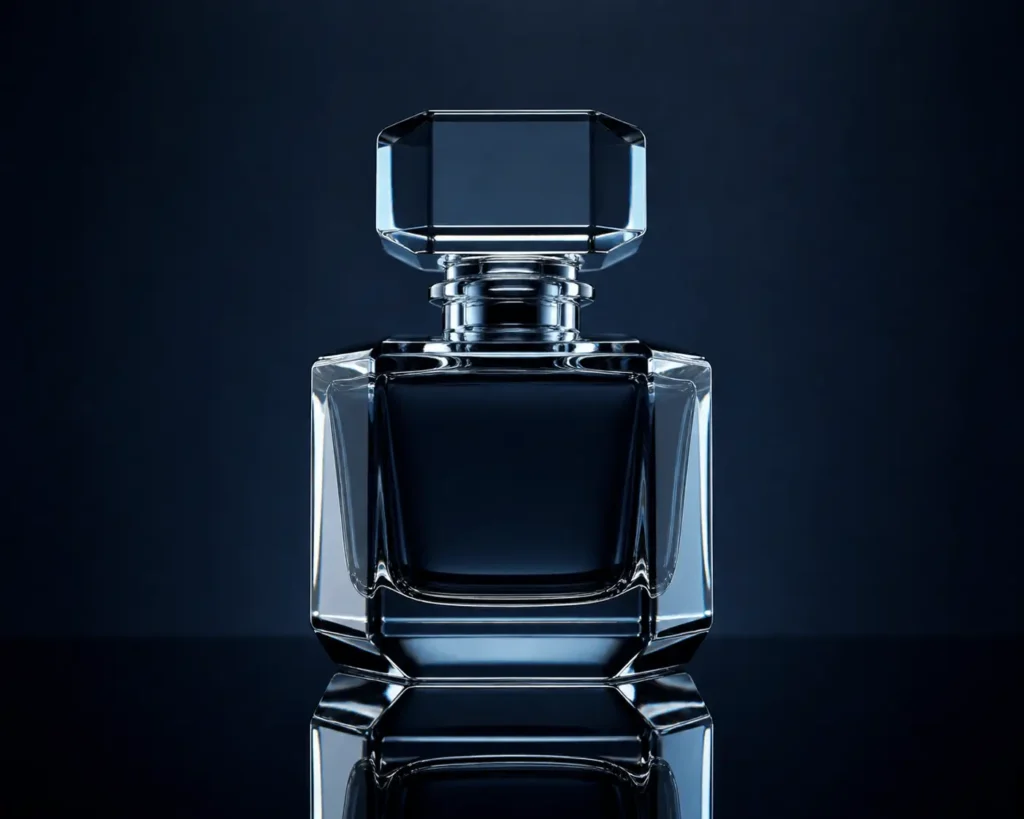
Why it works: “Controlled studio lighting,” “rim lights,” and a strict negative prompt steer the model away from messy, amateurish backgrounds and force it to focus entirely on clean, professional product geometry.
| Idea | Prompt |
|---|---|
| Coffee brand packaging mockup | A matte black stand-up coffee pouch package placed on a clean, light-oak wooden table. Minimalist product mockup style. Soft, diffused studio side-lighting creating an organic, premium mood. Front-facing, centered composition with a completely empty, neutral background. No text, graphics on bag. |
| Business card design | A stack of minimalist, thick-textured cotton business cards lying on a smooth concrete surface. Professional stationery mockup style. Hard, dramatic angular lighting creating sharp, elegant shadows. Modern, high-end mood. Top-down flat lay composition. |
| Social media ad visual | Sleek wireless headphones hovering mid-air against a solid, vibrant pastel-colored wall. Clean, bold commercial advertising visual style. Bright, even studio ring-lighting creating a high-energy, trendy mood. Dynamic asymmetrical composition with plenty of negative space for text. |
Architecture
Prompt: A massive, intricate steel suspension bridge spanning across a wide, rushing river. Industrial architectural photography style. Harsh, high-contrast midday sun highlighting the metallic beams. Powerful, industrial mood. Cinematic three-quarter wide shot, capturing the entire length of the bridge spanning across the water.
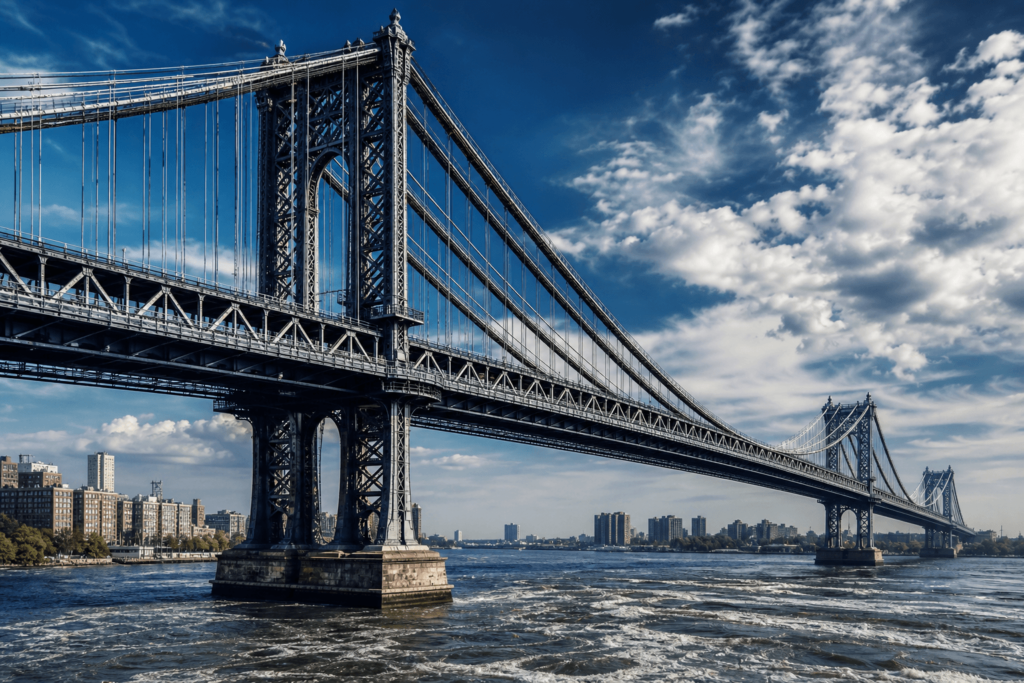
Why it works: A “three-quarter wide shot” is a classic architectural angle that captures both the face and depth of a structure at once. Combining this perspective with “harsh, high-contrast midday sun” forces the AI to create deep shadows within the steel framework. This instantly highlights the intricate engineering and immense scale, preventing the massive bridge from looking flat.
| Idea | Prompt |
|---|---|
| Futuristic skyline | A towering cluster of spiraling glass and steel skyscrapers rising above a multi-level vertical metropolis. Cinematic sci-fi architectural concept art style. Golden hour sunlight cutting through a thick atmospheric smog and low clouds. Awe-inspiring, utopian mood. Low-angle, ultra-wide perspective looking up from street level. |
| Medieval castle | A fortified stone medieval castle with high turrets perched precariously on top of a jagged, rocky hill. Detailed, realistic historical fantasy style. Dim, moody moonlight filtering through a thick, swirling ground mist. Mysterious, forbidding mood. Distant wide shot establishing the landscape. |
| Minimalist interior | A spacious modern living room featuring a low-profile concrete fireplace and single modular sofa. Architectural Digest interior photography style. Bright, natural sunlight streaming in through floor-to-ceiling glass windows. Serene, airy, and calm mood. Straight-on, clean linear composition. No clutter, decorations. |
Fantasy and surreal
The Prompt: A dense alien jungle at deep twilight, where towering, fungal trees glow with pulsing neon veins. Bioluminescent vines hang down like glowing threads, casting soft, colorful light onto the misty forest floor, captured in a cinematic, wide-angle shot.
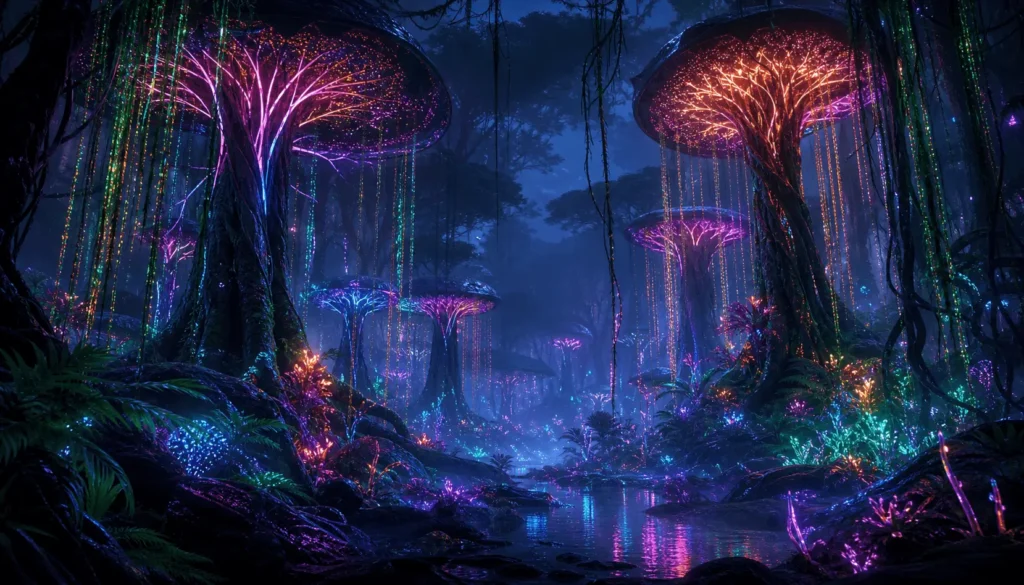
Why it works: Instead of just asking for a generic “alien jungle,” using specific lighting cues like “deep twilight” and “pulsing neon veins” gives the AI a clear color palette to work with.
| Idea | Prompt |
|---|---|
| Magical forest portal | An ancient, circular stone archway rippling with swirling turquoise energy deep inside an enchanted, overgrown old-growth forest. Dark fantasy illustration style. Beams of ethereal, bright light shooting out from the portal, cutting through the dark mist. Mysterious, magical mood. Low-angle, centered composition looking directly into the portal. |
| Underwater city | Intricate coral-shaped glass spires and glowing bio-domes nestled inside a deep oceanic trench. Subaquatic sci-fi concept art style. Shimmering, refracted light filtering down from the distant surface, mixed with internal neon architectural glows. Serene yet haunting deep-sea mood. Panoramic wide shot showing majestic scale. |
| Cosmic staircase | An ornate, crumbling marble staircase ascending into nothingness while floating openly in deep space. Surrealist cosmic art style. Brilliant, colorful starlight emitted from swirling galaxies and nebulae in the background. Ethereal mood. Vertical composition emphasizing upward movement. |
Educational and infographic
Prompt: A clean cross-section diagram of the human heart showing the chambers and valves isolated on a solid white background. Technical textbook illustration style with crisp line art and clear, clean font text labels pointing to sections. Flat, uniform graphic design lighting with no shadows. Informative, academic mood. Centered, symmetrical 2D layout with a minimal color palette of soft reds and blues. No photographic textures, 3D rendering, gradients, clutter.

Why it works: AI struggles heavily with charts. By explicitly asking for a “minimal color palette,” “flat uniform lighting,” and banning “3D rendering” or “gradients,” you force the AI to keep the image flat, legible, and diagram-like.
| Idea | Prompt |
|---|---|
| Solar system diagram | A scaled map of the eight planets orbiting the sun against a clean, minimalist dark space background. Educational infographic style with thin, precise white vector lines marking the orbital paths and neat text labels. Flat, bright diagram lighting. Clear, academic mood. Top-down, flat 2D linear composition. No realistic nebulae, 3D effects. |
| Photosynthesis steps | A step-by-step cross-section of a green leaf showing sunlight, water, and carbon dioxide entering and oxygen leaving. Clean vector infographic style with numbered steps and directional arrows. Bright, uniform diagram lighting. Educational mood. Horizontal, left-to-right flow chart composition. No complex photographic details |
| Water cycle illustration | A simplified landscape showing a mountain, ocean, and clouds to demonstrate evaporation, condensation, and precipitation. Flat-design educational illustration style with clear arrows and bold, legible labels for each stage. Bright, even lighting. Informative mood. Circular, easy-to-follow diagram layout. No realistic textures, shadows. |
5 common AI image prompting mistakes
Even the best AI image generators can produce poor results if the prompt is unclear, overloaded, or missing important visual cues. Here are some of the most common prompting mistakes to avoid.
1. Being too vague or too detailed
Prompts that are too short leave too many decisions up to the AI, while prompts overloaded with details, styles, and conflicting ideas can confuse the model just as much.
- Too vague: “a futuristic city”
- Too overloaded: “a futuristic minimalist chaotic cyberpunk city in watercolor and photorealistic style”
How to fix it: Strike a balance. Pick one clear style and two defining details.
2. Writing long conversational prompts
AI image generators are not chatbots; they respond better to short descriptive phrases than full conversational sentences. Words and phrases like “a photo of a,” “can you make,” or “with a background that has” can dilute important visual instructions.
- “Editorial photo, woman working on laptop, sunny office, focused expression”
- “This is an editorial photo of a woman who is working on a laptop in an office…”
How to fix it: Use keyword chunking, and separate the instructions using commas (,).
3. Trying to generate readable text
AI image generators still struggle with text inside images. Prompting for specific text often results in gibberish, distorted lettering, or misspelled words on signs and clothing.
- How to fix it: Generate the visual asset first with a clean, blank surface, then use a design tool like Quillbot’s free Overlay Images to overlay your text.
4. Neglecting the weighted order of words
Many users don’t realize that AI models prioritize words based on where they sit in the prompt. If you put your main subject at the end of a long sentence, it may be ignored entirely.
- How to fix it: Front-load your prompts. Place your most critical subject matter and camera angles in the first 5–7 words.
5. Skipping negative prompts
If you only tell the AI what you want, you leave the rest up to chance. Failing to use the negative prompt feature often results in unwanted artifacts, extra limbs, or watermarks.
How to fix it: Be specific about what you want to omit by typing “no text,” “no watermarks,” “no deformed hands,” “blurry background,” or “no extra limbs.”
Frequently asked questions about AI image prompt
- What makes a good AI image prompt?
-
A good AI image prompt gives the model clear visual direction without overwhelming it with unnecessary detail. The best prompts usually combine a specific subject with supporting elements like style, lighting, mood, setting, or composition.
For example, instead of writing “a city at night,” a stronger prompt would be “a rainy Tokyo street at night, neon reflections, cinematic lighting, realistic photography style.”
The second prompt gives the AI clearer information about atmosphere, visual style, and composition, leading to more consistent and intentional results.
If you’re struggling to make your prompts specific enough, Quillbot’s AI Image Prompt Generator can help you brainstorm descriptive details, visual styles, and composition ideas you might not think to include on your own.
- Why do AI-generated images look bad sometimes?
-
AI images often look bad because the prompt lacks a clear, intentional structure. When key details are missing, the model has to guess, which usually leads to generic or inconsistent outputs.
Common issues include:
- Missing details about style, lighting, or composition
- No negative prompts, which allows unwanted artifacts (e.g. distortions, visual noise, anatomical errors)
- Lack of iteration, where prompts aren’t refined after the first result
In most cases, improving prompt structure and making small, step-by-step adjustments leads to noticeably better results.
If you want to experiment, try adjusting your prompts in Quillbot’s AI Image Generator and see how each small change affects the final result.
- Should AI image prompts be written in full sentences?
-
No, AI image prompts do not need to be written in full sentences. Image generators don’t interpret language like conversational chatbots; they respond better to keywords and short descriptive phrases.
Full sentences often add non-essential framing words like “a picture of” or “with a,” which can dilute the key visual instructions.
For more consistent results, use structured, comma-separated phrases that focus only on the visual elements you want. For example, “woman in a café reading a book, soft natural light, cozy atmosphere, cinematic style.”
If you’re unsure how to structure your prompt, Quillbot’s AI Image Prompt Generator can help you quickly brainstorm more detailed starting points.
Other interesting articles
If you want to know more about colors, letters, or the meaning of emojis, make sure to check out some of our other articles with explanations and examples.